Measuring AI ROI: Is Your Business Getting Value?
Are your AI tools saving time or just adding costs? Learn how to measure AI ROI, review subscriptions and identify real business benefits.
Call our Glasgow IT support team: 0141 255 1617
Reliable business IT support when your team needs help.
Business IT Support Main IT Support Plans Remote IT Support IT Maintenance Contracts Endpoint Management Business Device Support Business WiFi Setup & SupportProactive IT management, monitoring and support for growing organisations.
Managed IT Services PopularProtect your business, staff, data and reputation from modern threats.
Cyber Security Overview Email Security & Spam Filtering Password Managers Cyber Awareness Training Ransomware ProtectionMicrosoft 365, cloud backup and hosted services for modern businesses.
Microsoft 365 for Business Microsoft 365 Support Microsoft 365 Backup Hosted Exchange Cloud BackupPractical IT support and managed services for businesses and organisations across Glasgow and Central Scotland.
Rather just read online we also have Magazine version
If you have big plans for your business in 2025, you will need to make sure that your IT systems are up to the job. Technology headaches could hold you back from achieving your goals and one curveball you might not have planned for is the end of Windows 10.
The good news is that you have plenty of time to make alternative arrangements, as support for Windows 10 does not end until 14 October 2025.
However, to make sure that you avoid any business interruption, it is a good idea to get ahead with your planning for life after Windows 10. If you leave it too late, you could face dealing with no technical support, security issues and productivity disruption, so here’s how you can avoid that scenario…
The simplest way to overcome the problem is to upgrade to Windows 10’s successor; Windows 11. Upgrading to Windows 11 is free and as well as providing a smooth transition, Windows 11 is packed with new productivity tools that could be very useful to your business.
While switching over to Windows 11 is the most seamless solution, there are still some factors to consider to ensure you can upgrade without disruption:
To upgrade, your hardware will need to meet certain requirements such as having an adequate level of processing power and storage. You can use Microsoft’s PC Health Check to check compatibility and you may find that older machines will need to be replaced.
Most modern applications will be compatible with Windows 11 but you may need to update or upgrade. Do a review of all your software to check whether it is ready to work with Windows 11.
If you use devices such as scanners, printers and external drives, you will also need to check that these function as they should with Windows 11 or you may need to perform updates.
Before you make any type of major technology upgrades, you should always back up your data, just as a precaution. Even though switching to Windows 11 should be trouble-free, backing up your data will give you the peace of mind that you won’t lose any valuable information.

Upgrading to Windows 11 is not only essential for ensuring you still have technical support and security updates from Microsoft, the latest version of Windows will deliver many additional benefits to your business.
These include:
Migration to Windows 11 might sound a bit daunting but it doesn’t have to be. Acu IT is here to help and we can take care of every aspect of the migration, from testing compatibility to monitoring system performance post-upgrade.
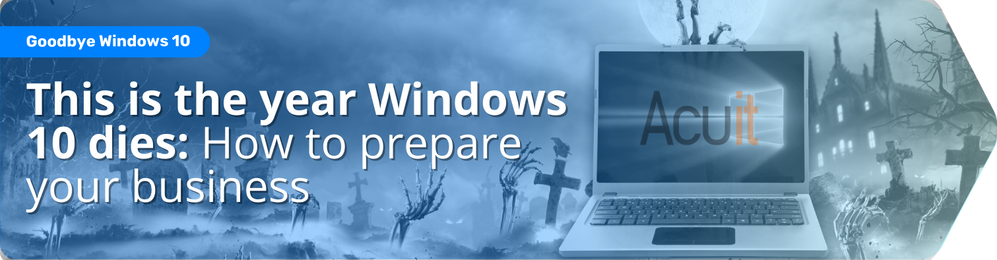
You can find out more about the risks of not upgrading, as well as the many benefits of unlocking the new features of Windows 11, by downloading our free guide: This is the year Windows 10 dies: How to prepare your business
Contact us if you would like any support with your migration over to Windows 11 and we’ll take care of everything.

Are your AI tools saving time or just adding costs? Learn how to measure AI ROI, review subscriptions and identify real business benefits.

Microsoft is preparing for quantum cyber threats by 2029. Find out what post-quantum security means for your business and why planning ahead matters.

Is your Microsoft 365 setup costing you money or putting data at risk? Discover 7 essential health checks and download our free small business guide.

Being tech-savvy doesn’t mean being cyber secure. Discover why every employee needs cyber security awareness training to help protect your business.
Contact us today. We’ve got plenty of ideas to make your business more efficient.